Month, week, and day
Choose the calendar view that fits your planning horizon.
Plan events and review your schedule in ZavERP. Switch between month, week, and day, keep event details together, and highlight the priorities that need attention.
Use month view for an overview, then switch to week or day for the details. Move between periods or return to today to see what is coming next.
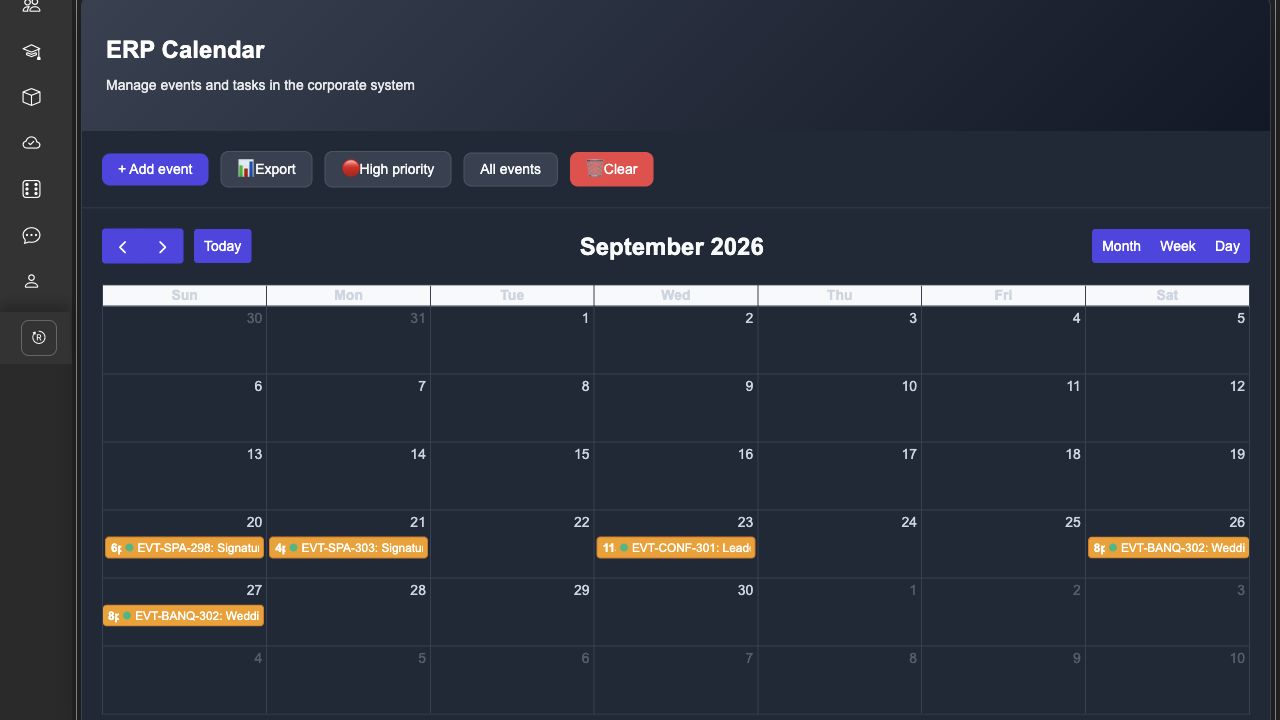
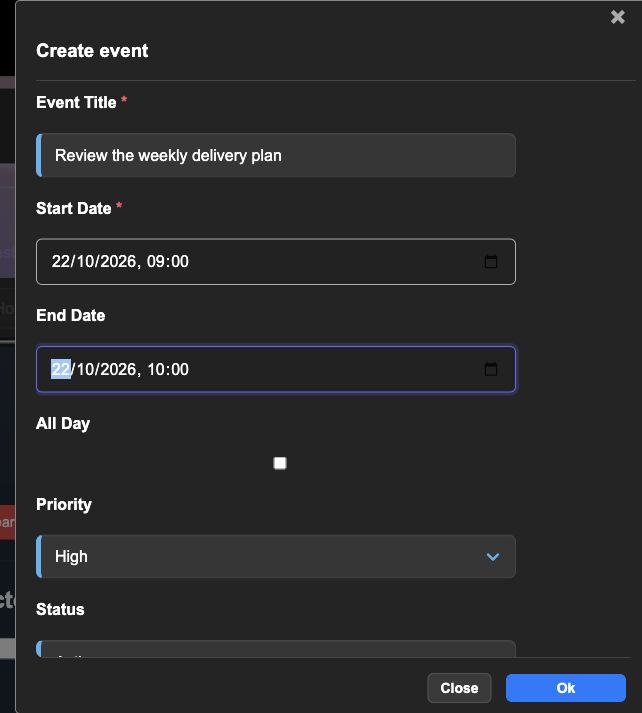
Create events with a title, start and end time, description, priority, and status. Use all-day events when an exact time is not needed, and open an event to review its details.
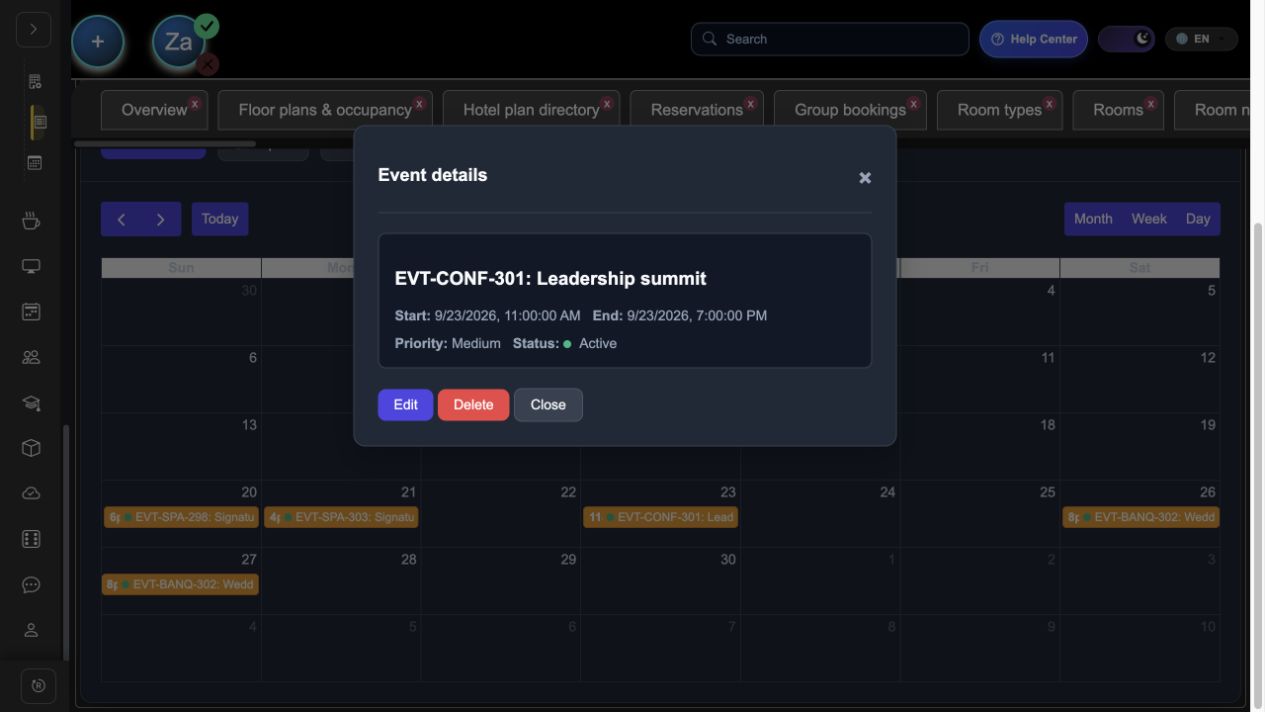
Mark events as low, medium, or high priority and filter the calendar to show high-priority items. Use active, pending, and cancelled statuses to keep the schedule clear.
Everything you need in one place: clear, robust features that actually make daily work easier instead of more complicated.
Choose the calendar view that fits your planning horizon.
Record an event for a whole day without setting a specific time.
Open an event from the calendar to review its information.
Stop jumping between multiple tools. Everything you need is built into one seamless experience.
crm
hotel
kanban-board